My Current Laptop: HUAWEI MateBook D 16 Full Specs and Reference Guide
Complete specifications and reference guide for the HUAWEI MateBook D 16 (HVY-WXX9) with AMD Ryzen 5 4600H. Everything you need to know: CPU, GPU, RAM, storage, ports, features, and upgrade limitations.
Why This Guide?
I got tired of forgetting my own laptop specs when asking AI about game performance or compatibility. This is my complete reference for the HUAWEI MateBook D 16. Use it for checking game requirements, comparing hardware, or just having all the info handy.
Laptop Model: HUAWEI MateBook D 16 (HVY-WXX9, C100)
My setup:
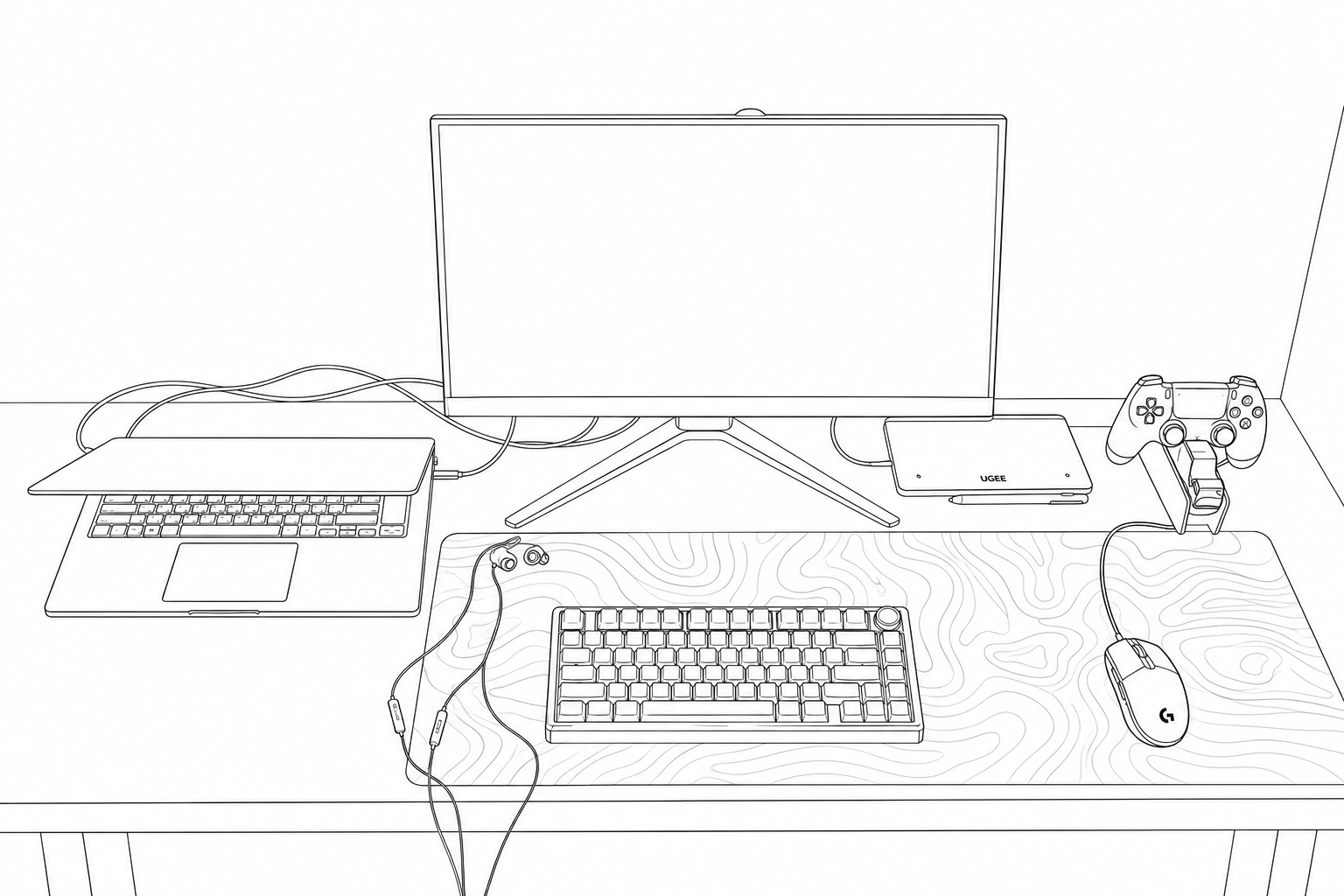
Quick Specs Reference
| Component | Spec |
|---|---|
| Laptop | HUAWEI MateBook D 16 (HVY-WXX9) |
| OS | Windows 11 Home (25H2, Build 26100) |
| CPU | AMD Ryzen 5 4600H (6C/12T, 3.0-4.0 GHz) |
| RAM | 16 GB DDR4-3200 Dual-Channel (2 x 8 GB) |
| GPU | AMD Radeon Vega 6 (integrated, shared memory) |
| Internal Display | 1920x1080 @ 60 Hz (16-inch) |
| External Monitor | Samsung LS24AG32x (240 Hz, currently limited to 144 Hz via HDMI) |
| Storage | 512 GB NVMe SSD (Samsung) |
| Wi-Fi | Intel Wi-Fi 6 AX200 |
| Battery | Non-removable Li-Ion (56 Wh) |
| Weight | ~1.7 kg |
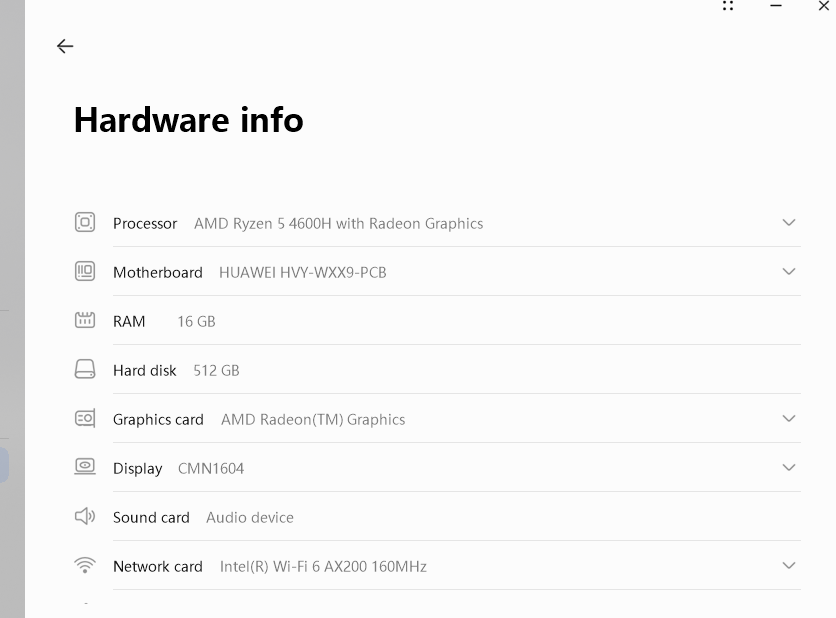
Detailed Specifications
System and Model
| Field | Value |
|---|---|
| Manufacturer | HUAWEI |
| Model | HVY-WXX9 |
| Product Name | MateBook D 16 |
| Motherboard | HVY-WXX9-PCB (M1020) |
| Serial Number | [REDACTED] |
| System SKU | C100 |
| Chassis SKU | Harvey-WAPD9 |
| BIOS | HUAWEI 1.17 (UEFI, Nov 21, 2022) |
| System Type | x64-based Laptop |
Regional variants: The Quick Start Guide references model variants HVY-WAP9 and HVY-WAQ9. These are different regional SKUs of the same MateBook D 16 laptop. Specs are identical across variants.
Processor (CPU)
| Field | Value |
|---|---|
| CPU | AMD Ryzen 5 4600H |
| Architecture | Zen 2 (Renoir) |
| Cores / Threads | 6 / 12 |
| Base Clock | 3.0 GHz |
| Max Boost Clock | ~4.0 GHz |
| L2 Cache | 3 MB |
| L3 Cache | 8 MB |
| Socket | FP6 |
| TDP | 45 W |
Memory (RAM)
| Field | Value |
|---|---|
| Total | 16 GB (15.4 GB usable) |
| Configuration | Dual-Channel (2 x 8 GB) |
| Type | DDR4 SO-DIMM |
| Speed | 3200 MHz (PC4-25600) |
| Manufacturer | Micron Technology |
| Part Number | 4ATF1G64HZ-3G2E1 |
| Voltage | 1.2 V |
Important for gaming: The Vega 6 integrated GPU uses system RAM for video memory. Dual-channel RAM is critical, with single-channel you lose around 30-50% GPU performance. Mine is dual-channel, which is good.
RAM is soldered to the motherboard and not upgradeable.
Graphics (GPU)
| Field | Value |
|---|---|
| GPU | AMD Radeon(TM) Graphics (Vega 6) |
| Architecture | Vega (6 Compute Units, 384 stream processors) |
| Dedicated VRAM | 512 MB |
| Shared System Memory | Up to 7,870 MB |
| Total Available Graphics Memory | 8,366 MB |
| Driver Version | 31.0.21923.11000 |
| Driver Date | July 1, 2025 |
| DirectX Support | DirectX 12 |
| Driver Model | WDDM 3.1 |
This is an integrated GPU, not a dedicated graphics card. The Vega 6 shares memory with system RAM. For gaming, use Performance Mode and keep the laptop plugged in.
Display
Internal Laptop Display
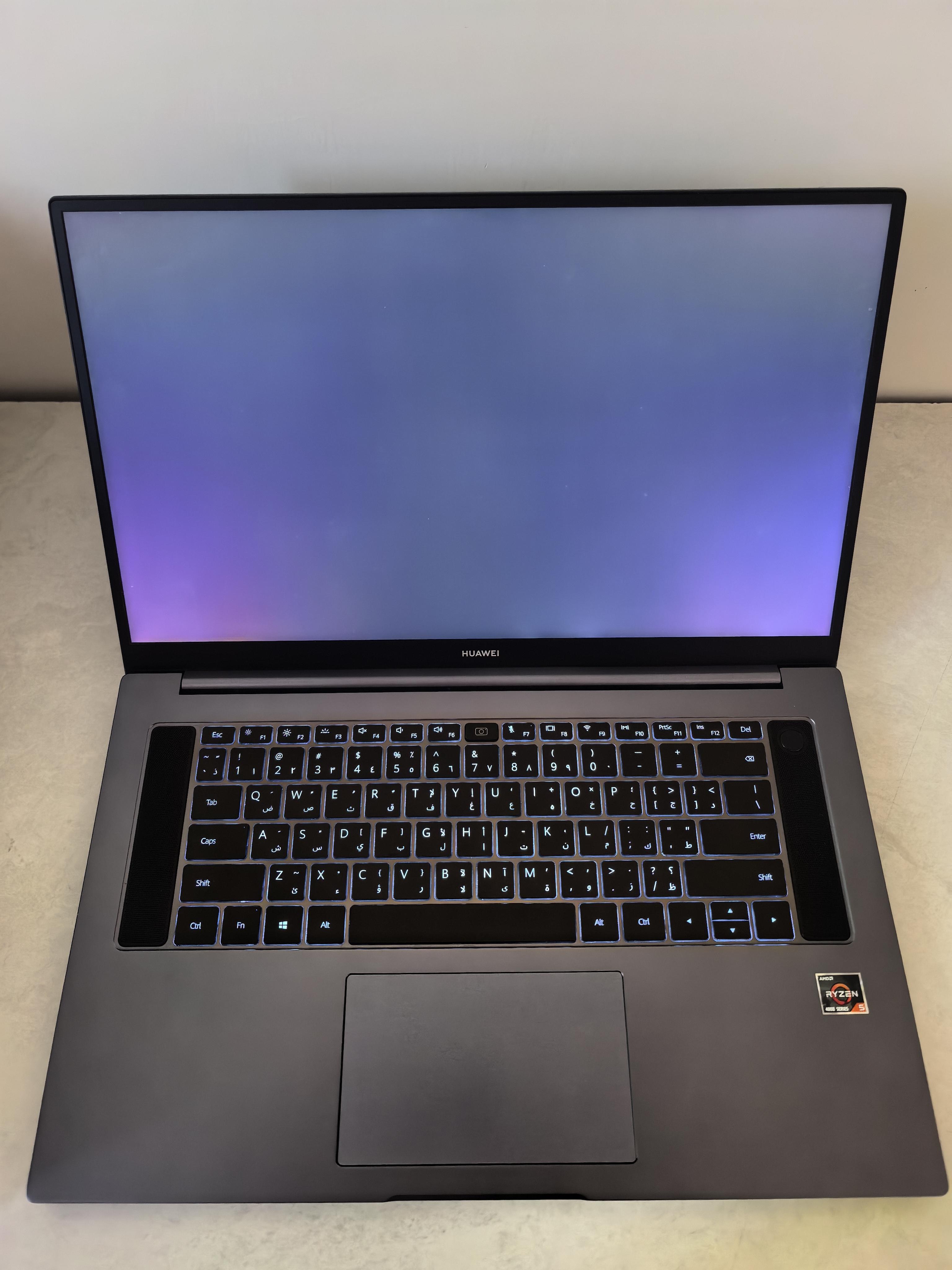
| Field | Value |
|---|---|
| Size | 16-inch |
| Panel | CMN1604 (Chimei Innolux / Quanta) |
| Resolution | 1920 x 1080 (Full HD) |
| Refresh Rate | 60 Hz |
| Bit Depth | 32-bit |
| Aspect Ratio | 16:9 |
| Manufactured | 2019, Week 11 |
Storage
| Field | Value |
|---|---|
| Model | SAMSUNG MZVLB512HBJQ-00000 |
| Type | NVMe SSD (PCIe Gen3) |
| Capacity | 512 GB raw, ~477 GB formatted |
| Firmware | EXF7201Q |
| Health Status | Healthy |
Partitions
| Drive | Label | File System | Storage |
|---|---|---|---|
| C: | Windows | NTFS | 119 GB |
| D: | Data | NTFS | 337 GB |
Battery
| Field | Value |
|---|---|
| Model | HB6081V1ECW-41 |
| Type | Non-removable rechargeable Li-Ion |
| Capacity | 56 Wh |
| Design Voltage | 17.12 V |
| Chemistry Code | 6 (Lithium-Ion) |
The Huawei user guide explicitly warns: do not attempt to replace the battery yourself. Take it to an authorized Huawei service center if replacement is needed.
Networking
| Field | Value |
|---|---|
| Wi-Fi Adapter | Intel Wi-Fi 6 AX200 160 MHz |
| Protocol | 802.11ax (Wi-Fi 6) |
| Link Speed | ~1 Gbps |
| MAC Address | [REDACTED] |
Audio
| Device | Purpose |
|---|---|
| Realtek High Definition Audio | Built-in speakers and headphone jack |
| AMD High Definition Audio Device | HDMI audio output |
| AMD Streaming Audio Device | Streaming audio |
Input Devices
| Component | Details |
|---|---|
| Keyboard | Full-size with backlight, US layout (101/102-key), 12 function keys |
| Touchpad | Multi-touch with gesture support (see Gestures section below) |
| Fingerprint Sensor | Integrated in power button (Windows Hello) |
| Webcam | Recessed, press to reveal, press again to hide |
| Microphone | Built-in, above keyboard |
Ports and Physical Layout
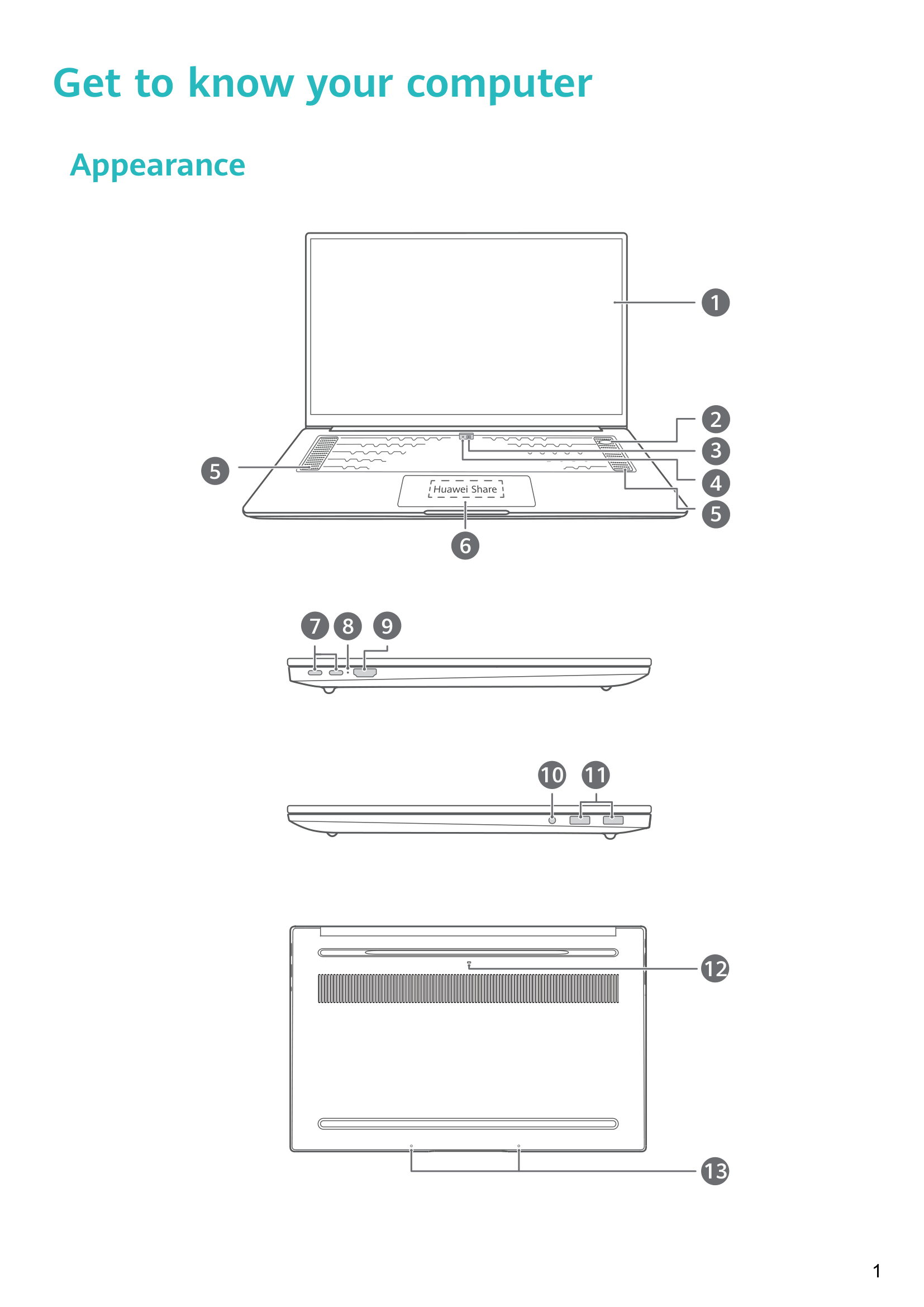
Based on the official user guide and the actual device.
| Side | Port | Details |
|---|---|---|
| Left | USB-C (x2) | Charging, data transfer, DisplayPort via dock, phone connections |
| Left | HDMI | Full-size, external display output |
| Left | 3.5mm Headset Jack | Combined audio in/out |
| Left | Charging Indicator | Blinks white when charging, steady white when full |
| Right | USB-A (x2, USB 3.2 Gen 1) | Data transfer, USB drives, phones, peripherals |
Unique physical features:
- Recessed camera: press to pop up from the top edge of the display, press again to hide. Also has a camera drainage hole underneath the laptop (if liquid is spilled on the camera, it drains out).
- Huawei Share / NFC sensor: built into the center of the touchpad (not externally visible). Tap compatible Huawei phones on it for features like Multi-Screen Collaboration.
- Fingerprint power button: single press for power-on + Windows Hello unlock.
Software and Built-in Features
These features come from the official user guide and PC Manager.
Performance Mode (Fn + P)
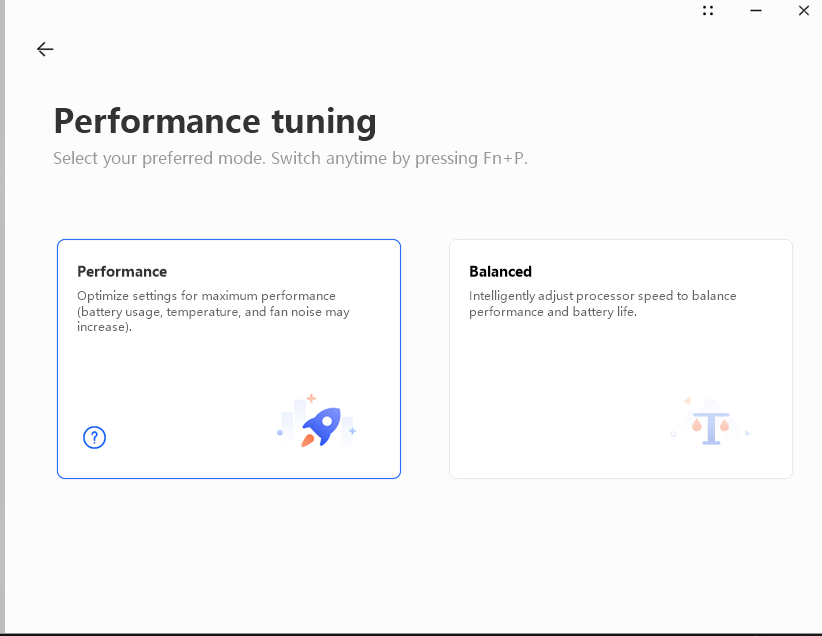
Performance Mode boosts CPU and GPU performance but:
- Requires the laptop to be plugged in and have at least 20% battery
- Automatically disables when unplugged, battery low, or laptop restarted
- Increases fan noise and heat (this is normal)
Press Fn + P to toggle. An on-screen indicator confirms whether it’s on or off. You can also enable it from inside PC Manager.
Keyboard Backlight
The keyboard has a backlight. Use the shortcut key (one of the F-keys with the backlight icon) to toggle it or adjust brightness. If your key does not have the icon, the keyboard does not have a backlight (some regional variants may differ).
Eye Comfort Mode
Built-in blue light filter. Right-click the desktop, go to Display settings, and enable Eye Comfort. The screen gets a slightly yellow tint. Useful for long sessions.
F10 Factory Reset
The laptop has a built-in recovery feature:
- Plug in the power adapter
- Press the Power button, then repeatedly press or hold F10 to enter recovery
- Follow on-screen instructions
This wipes the C: drive completely. Back up data first. Not available in all regions.
Huawei Share / Multi-Screen Collaboration
- Multi-Screen Collaboration: View and control your Huawei phone on the laptop screen. Answer calls, use phone apps, drag and drop files.
- File sharing: Tap phone on touchpad to transfer files.
- Shared clipboard: Copy on phone, paste on laptop (and vice versa).
- Automatic sync: Phone files auto-sync to the laptop.
Touchpad Gestures
| Gesture | Action |
|---|---|
| Tap with 1 finger | Left-click |
| Tap twice with 1 finger | Double-click |
| Slide with 1 finger | Move cursor |
| Tap with 2 fingers | Right-click |
| Slide up/down with 2 fingers | Scroll |
| Pinch/stretch with 2 fingers | Zoom in/out |
| Tap with 3 fingers | Open search |
| Slide up with 3 fingers | View all open windows |
| Slide down with 3 fingers | Show desktop |
| Slide left/right with 3 fingers | Switch between windows |
| Tap with 4 fingers | Open Action Center |
Upgrade Limitations
| Component | Upgradeable? |
|---|---|
| RAM | Soldered to motherboard, not upgradeable |
| Storage (SSD) | NVMe slot, replaceable |
| Battery | Officially requires authorized service center (non-removable design) |